If you’re searching for CSAT tools, it’s probably not out of curiosity. It’s because surveys are getting ignored, feedback is piling up, and scores aren’t changing behavior.
CSAT (Customer Satisfaction Score) remains one of the most straightforward ways to gauge how happy customers are after specific interactions like a support ticket closes and onboarding milestone. Yet, many teams collect scores only to watch response rates hover around the 5-15% marker, or worse they see feedback sit unused in dashboards.
The good news? When implemented thoughtfully, CSAT tools turn into powerful drivers of retention.In this ‘no fluff’ guide, we’ll cover the real pain points (pulled from forums, Reddit threads, and recent CX discussions) and dive into why they happen with practical fixes that actually work. Including how modern tools like SurveyStance address them head-on.
CSAT Quick Refresher: What It Is and When to Use It
CSAT measures immediate satisfaction with a single question (typically on a 1-5 scale): “How satisfied were you with [interaction]?“
The standard CSAT formula is:
(Number of 4-5 responses ÷ Total responses) × 100
For example, if 80 out of 100 responses are 4 or 5 stars, your CSAT is 80%.
Benchmarks in 2026 vary by industry, but here’s a realistic snapshot:
- Average across sectors: 75-85%
- Strong/good: 80%+
- Excellent: 85-90%+ (common in e-commerce/support-heavy SaaS)
- Red flag: Below 70% (signals churn risk)
Quick comparison table to clear up the “CSAT vs. NPS vs. CES” confusion people search constantly:
| Metric | Focus | Best For | Typical Question | Scale |
|---|---|---|---|---|
| CSAT | Immediate satisfaction | Post-ticket, transactional touchpoints | “How satisfied were you?” | 1-5 (stars/emojis) |
| NPS | Long-term loyalty | Overall brand/experience | “How likely to recommend?” | 0-10 |
| CES | Effort to resolve | Support/self-service ease | “How easy was it to get help?” | 1-7 |
The Real Pain Points with Most CSAT Tools (and Why They Happen)
From real user discussions on Reddit (r/msp, r/CustomerSuccess), HubSpot/Zendesk forums and 2026 CX chatter, the biggest pain points boil down to:
- Low response rates / survey fatigue Forms feel long, timing is off (sent too soon/late) or questions are vague → customers ignore them. Average rates: 5-15% for multi-question surveys.
- Integration headaches No seamless hooks into Zendesk / HubSpot / ConnectWise / Salesforce → manual workarounds, broken triggers, or data silos.
- Data collected but no action Scores land in a dashboard with no alerts or rep-level breakdowns. → low scores get ignored and no loop-back to customers.
- Biased or incomplete samples Only extremes respond (super happy/angry) or security filters skew results → skewed insights.
- Pricing traps & bloat Seat-based fees kill small teams or enterprise tools feel overkill for simple post-ticket needs.
These aren’t flaws in CSAT itself or CSAT tools specifically but they’re implementation gaps. The fix? Choose CSAT tools built for real workflows.
CSAT works when it’s fast, well-timed, integrated into real workflows, and actually acted on. Otherwise it’s just noise.
Real Fixes That Actually Improve CSAT (and Boost Response Rates)
Here’s how top-performing teams solve these in 2026. No theory, just tactics with proven impact:
- Boost response rates (aim for 30-50%+)
- Use one-click emoji/smiley formats (huge lift over traditional scales).
- Trigger surveys right after resolution (not immediately or days later).
- Keep it 1-2 questions max + optional open-text with conditional question.
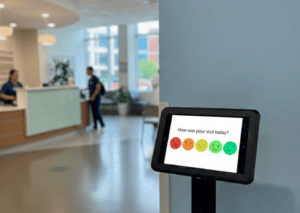
- Embed in email signatures, QR codes, feedback kiosks or where relevant in-app.
- Personalize invites and explain “your feedback helps us improve fast.”
- Seamless integrations & smart automation
- Native ties to helpdesks (Zendesk/HubSpot/ConnectWise) for auto-triggers on ticket close.
- Rules like “no survey if sent in last 30 days” or “exclude no-touch tickets.”
- Real-time rep/ticket association for accurate scoring.
- Turn scores into action
- Set alerts for <3/5 scores (Slack/email to reps/managers).
- Auto-reply templates for low feedback (“We’re sorry – let’s fix this”).
- Rep-level dashboards + trends over time.
- Close the loop: Follow up with customers on fixes (doubles loyalty per studies).
- Multi-channel & unbiased capture
- Kiosks/iPad terminals for in-person (retail/events).
- QR codes or embeds for websites/signatures.
- AI text analysis on open feedback for themes.
- Affordable, scalable pricing
- Response-based or flat fees (no per-seat bloat).
- Free trials to test real workflows.
These fixes directly target what people complain about – and the right CSAT tools make them effortless.
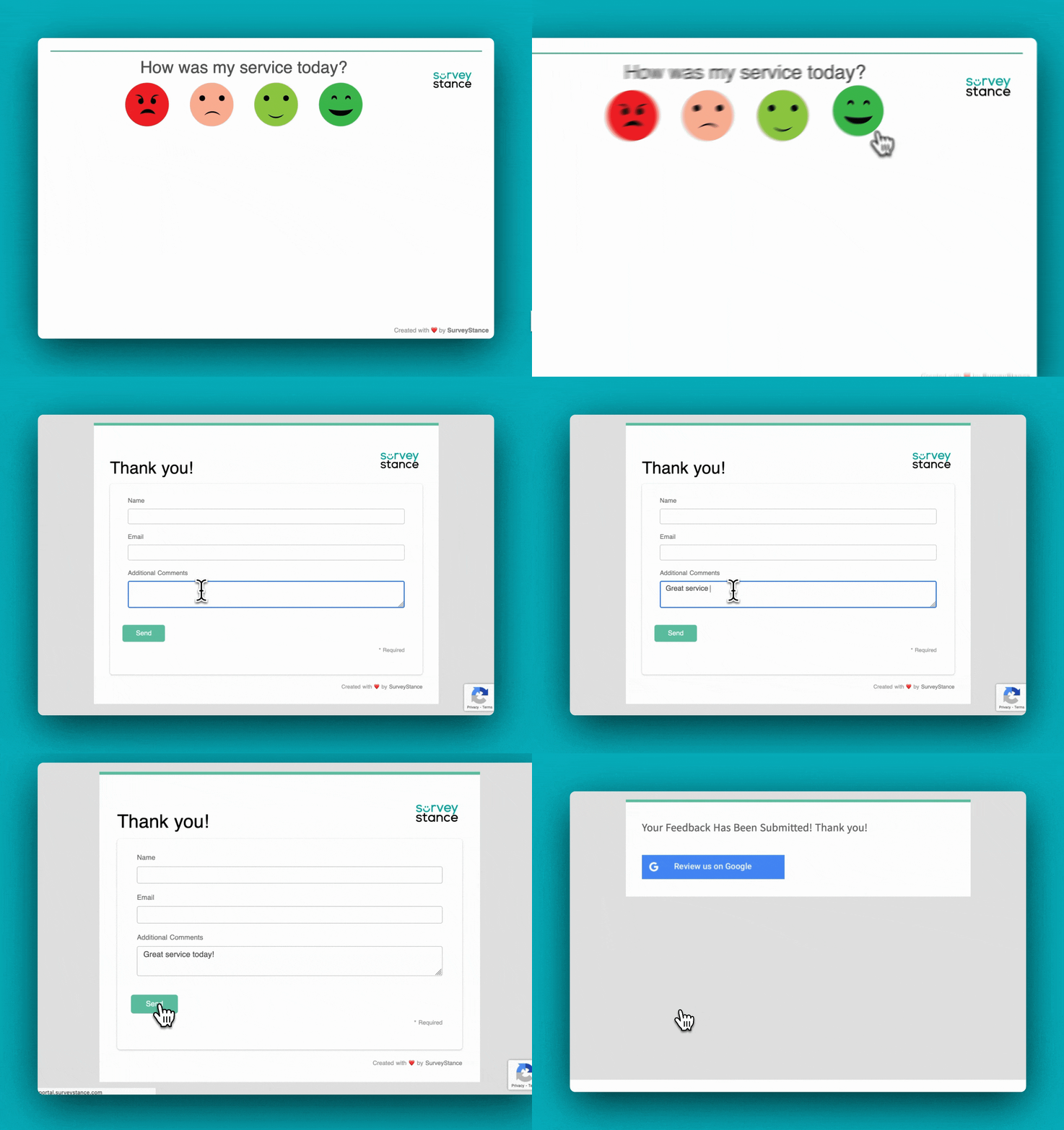
SurveyStance – OneClick Emoji Survey makes it simple and fun:
Quick-Start Checklist: Get Better CSAT Results Tomorrow
- Pick your trigger: Ticket close, onboarding complete or post-purchase.
- Keep surveys 1-question (emoji scale) + optional “why?” text.
- Set timing: 1-24 hours post-interaction (test offsets for peak opens).
- Integrate natively where possible (or use embeds/QR).
- Enable alerts for scores below 3.
- Auto-follow up negatives with a personal reply.
- Track rep-level trends weekly.
- Benchmark monthly: Aim to climb toward 80%+.
- Test multi-channel: Email + kiosk + signature embeds.
- Review open feedback themes quarterly- act on top issues.
CSAT doesn’t have to be painful. With the right approach and tools it becomes your fastest path to spotting fixes, coaching teams, and keeping customers loyal.
FAQ: Common Questions About CSAT Tools
What is CSAT and how is it different from NPS or CES? CSAT measures immediate satisfaction after a specific interaction (ex support ticket) on a 1-5 scale. NPS tracks long-term loyalty (“Would you recommend?”), while CES focuses on effort (“How easy was it?”). Use CSAT for transactional feedback, combine with others for fuller insights.
How do I calculate my CSAT score? Divide the number of 4-5 (satisfied) responses by total responses, then multiply by 100. Example: 75 satisfied out of 100 total = 75% CSAT.
What’s a good CSAT benchmark in 2026? Averages hover 75-85% across industries. Aim for 80%+ as “strong”—anything below 70% flags issues like churn risk.
How can I improve low CSAT response rates? Switch to one-click emoji surveys, trigger immediately after resolution, limit to 1-2 questions, and use multi-channel delivery (email embeds, QR codes, kiosks). Personalize and explain value—many teams jump from 5-15% to 30-50%+.
What integrations should I look for in CSAT tools? Prioritize native ones with your helpdesk (Zendesk, HubSpot, ConnectWise, Salesforce) for auto-triggers on ticket close. Avoid heavy Zapier reliance—look for rules like “no duplicate surveys in 30 days.”
Why do we collect CSAT data but never act on it? Common issue: No alerts or rep-level visibility. Fix with real-time notifications for low scores, auto-follow-up templates, and dashboards that tie scores to agents/tickets.
How do I choose the best CSAT tool for my team? Match to your pains: High-response emoji/one-click for low engagement and native integrations for workflow friction. Alerts/follow-ups for inaction, affordable scaling for small/mid teams. Test free trials and focus on ease over features.
Should we use CSAT alone or combine metrics? CSAT shines for quick post-interaction checks but pair with NPS (loyalty) and CES (effort) for complete CX view. Many tools handle all three.
If low response rates or ignored feedback sound familiar try a setup that actually gets responses and drives action. Check out SurveyStance for a fresh take on CSAT tools.
What pains are you facing most right now? Reach out as we’re here to help make CSAT work better.