
Feedback kiosk demo
SurveyStance iPad App Demo
See how the SurveyStance iPad feedback app works in kiosk mode for on-site customer and employee feedback collection.
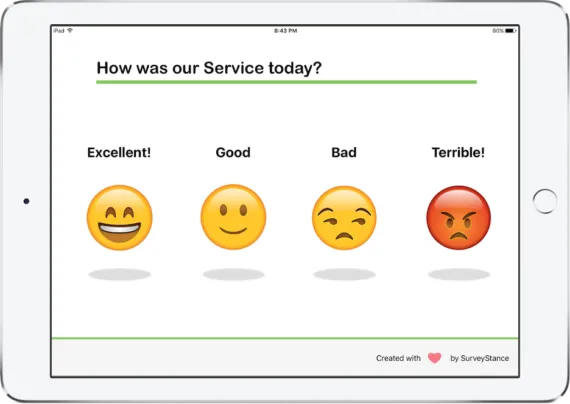
Product walkthrough
Overview of the SurveyStance iPad Feedback App
Walk through of the iPad and various emoji input types, welcome page settings, customizations and more.
Emoji input types
See how customers answer with quick tap feedback.Welcome page settings
Control how the kiosk starts and resets between responses.Customizations
Match the experience to your brand, questions, and location.Kiosk mode
Keep the iPad focused on the SurveyStance feedback app.App demo
Watch Feedback Kiosk App Demo
The demo walks through the customer-facing feedback experience and how teams can configure the SurveyStance iPad app for real-world locations.
SurveyStance
From kiosk interaction to actionable reporting.
The iPad app is designed for quick feedback at the moment customers and employees are ready to respond, then routes that feedback into the SurveyStance reporting portal.
Place the iPad kiosk where feedback should happen.
Launch the SurveyStance app in kiosk mode.
Collect customer and employee feedback on site.
Review responses in reports and dashboards.


Ready to compare options?
See whether the full kiosk package or software-only setup fits best.
SurveyStance can help you evaluate hardware, iPad setup, kiosk mode, reporting, and rollout needs before you launch.