
SurveyStance features
Collect real-time feedback, understand trends, and act when it matters.
Kiosks, email signatures and QR codes collect the feedback. Dashboards, AI summaries and alerts turn it into something your managers can act on, whether you run one location or many.
Browse all 52 features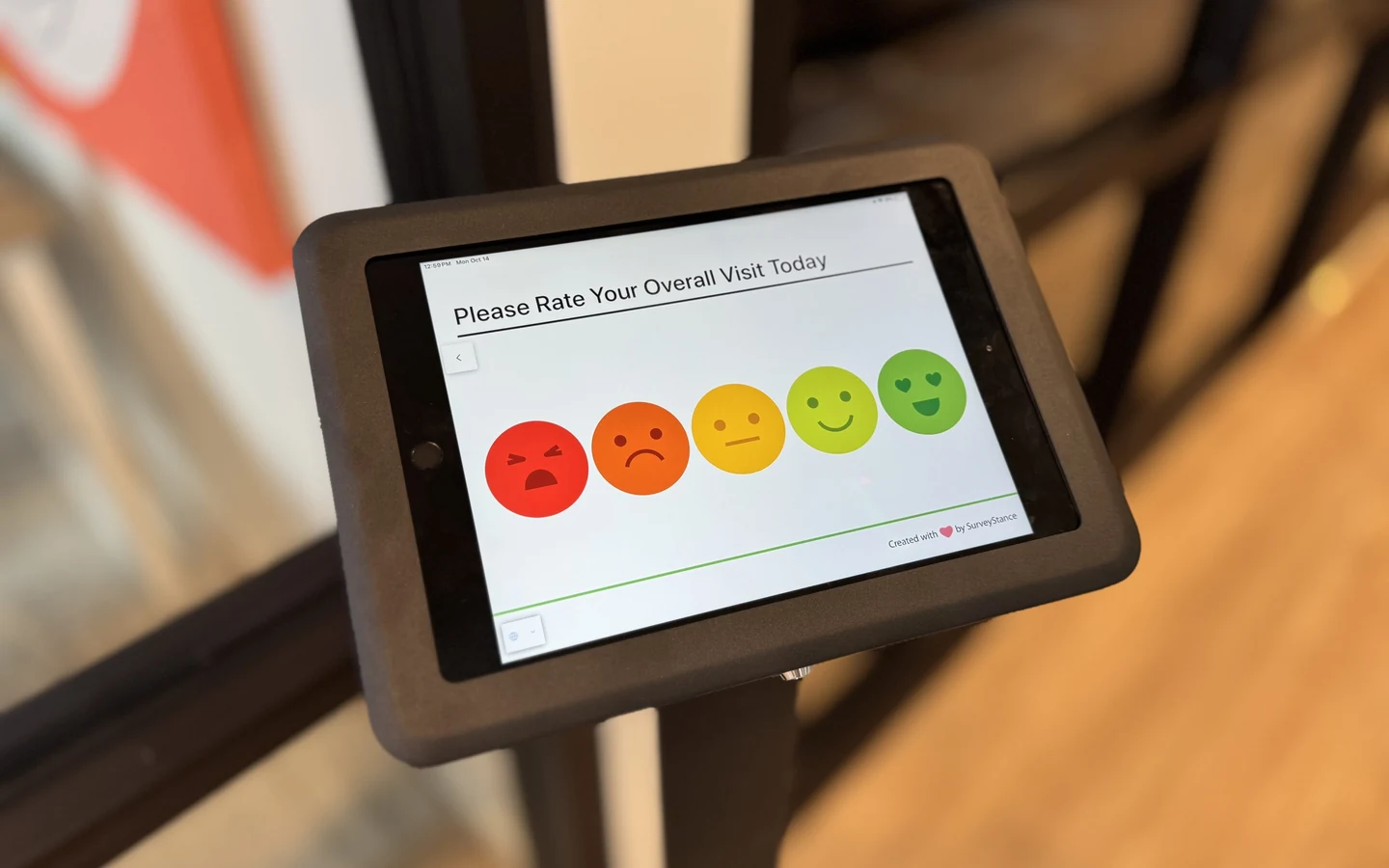
How it fits together
Three jobs every feedback program needs to do well.
Collect feedback at the moment it happens.
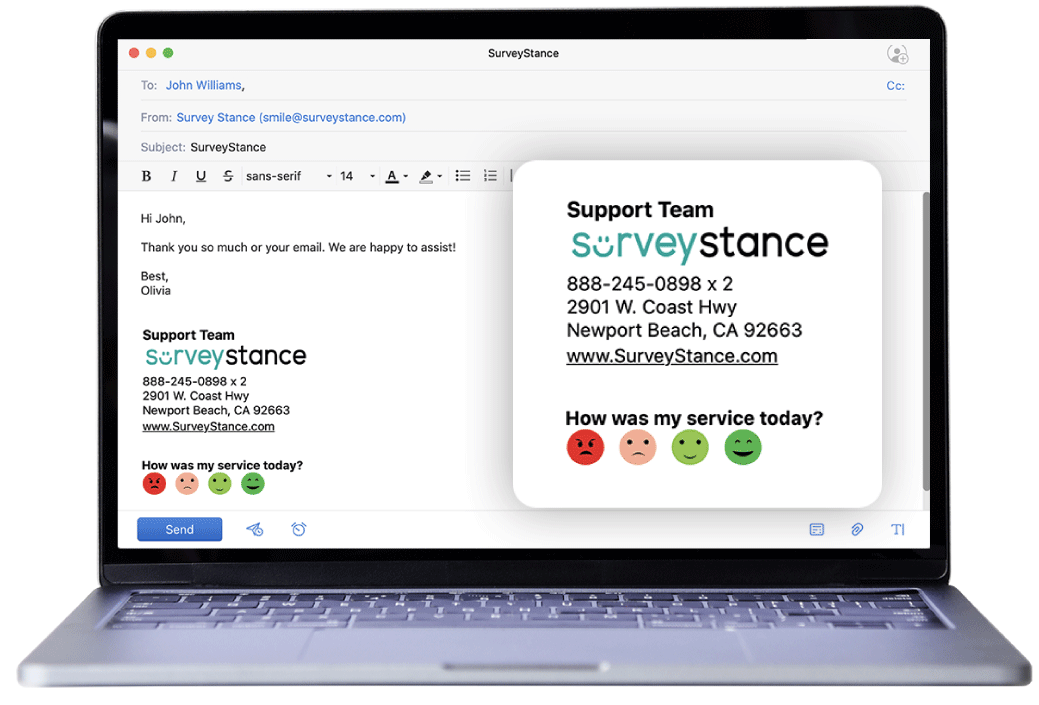
Put a one-tap survey where the experience happens: an iPad kiosk at the counter, a row of faces in a support rep's email signature, a QR code on a table tent. People answer in a second, while they still remember.
For example: A clinic runs a kiosk at check-out and the same survey in its billing team's email signature. Both land in one dashboard.
See the trend without reading every response.
Scores, response counts and comments roll up into dashboards by location, device and question. AI summaries read the open-text comments and tell you what keeps coming up.
For example: Instead of reading last week's comments one by one, a manager reads a short summary and sees the theme behind the dip.

Hear about problems while you can still fix them.
Most feedback just needs to reach a report. Some needs a person today. Alert rules watch for low scores, sudden swings and bursts of negative ratings, then text or email whoever owns that location.
For example: Five low ratings in 60 minutes at the restroom kiosk sends the facilities manager a text before the lunch rush.
- Flagged A low score, a comment or a trend crosses your rule.
- Notified The right manager gets an email or SMS.
- Closed out Assign it as a task and mark it done once it's handled.

Full feature list
Every feature, in one list.
52 features in 8 groups. Anything tagged Kiosk or OneClick belongs to that product; the rest work across both. Some features depend on your plan, so check pricing or the capability matrix for the details.
Kiosk experience
Built to run unattended on an iPad in a busy space.
-
Offline mode Kiosk
Keeps collecting without WiFi and syncs once the connection is back.
-
Kiosk lock mode Kiosk
Nobody can close the survey, so the iPad can stay on all day.
-
Swipe or tap to start Kiosk
Require a swipe or tap on the welcome screen first, which cuts down on stray and fake ratings.
-
Survey reset timeout Kiosk
A half-finished survey goes back to question one for the next person.
-
Sleep hours Kiosk
Set the kiosk to sleep outside your opening hours.
-
Remote updates
Edit questions in the portal and every kiosk updates in real time.
-
QR code on screen Kiosk
Visitors can scan and answer on their own phone instead.
-
Locking stands Kiosk
Floor, counter and wall stands with a keyed enclosure and hidden charging cable.
Survey building
Short surveys that still tell you why.
-
One-tap answer scales
Emoji, thumbs, stars, number scales and custom answer sets.
-
More question types
Comments, multiple choice, dropdowns and custom inputs.
-
Skip logic
Follow-up questions change based on the answer just given.
-
Multi-language surveys
Run the same survey in several languages, with auto-translate.
-
Custom branding
Your logo, colors and wording on the survey and landing pages.
-
Rating-based landing pages
Send happy and unhappy respondents to different follow-up flows.
-
Optional contact capture
Ask for an email or phone number only when follow-up makes sense.
-
Unlimited surveys and responses
Collecting more feedback never costs more.
Ways to collect
One survey, placed wherever people are.
-
iPad feedback kiosk Kiosk
For lobbies, counters, exits, clinics and dining areas.
-
Email signature survey OneClick
One click from every email your team already sends.
-
QR code survey
Print it on signage, receipts, table tents or product cards.
-
Survey link OneClick
A unique URL to drop into texts, chats or web pages.
-
Help desk and newsletters OneClick
Embed the survey in Freshdesk replies or a Mailchimp newsletter.
Alerts and notifications
Rules that decide who hears about what, and when.
-
Email and SMS alerts
Get notified the moment a chosen response comes in.
-
Low-score alerts
Flag individual ratings below the line you set.
-
Negative volume thresholds
Trigger on bursts, such as 5 negative ratings in an hour.
-
Score-swing alerts
Know when a location's average moves by 50% or more.
-
Device offline alerts Kiosk
Hear about a kiosk that went dark before responses dry up.
-
Scheduled reports
Weekly and monthly summaries emailed to stakeholders.
Reporting and AI
From raw taps to the story behind the score.
-
Real-time dashboards
Scores, volume and sentiment update as responses arrive.
-
Location and device reporting Kiosk
Compare kiosks and sites side by side.
-
Question-level breakdowns
See how each answer choice performed, question by question.
-
NPS tracking
Follow loyalty alongside your everyday satisfaction score.
-
Trends over time
Month-over-month views show whether changes stuck.
-
AI comment summaries
A week of open-text comments condensed into quick takeaways.
-
Sentiment and theme tagging
Comments sorted by sentiment and topic across every channel.
-
Excel and PDF exports
Raw data for analysis, or a clean report for the meeting.
-
Custom reports
Report views shaped around how your organization is set up.
Teams and access
Everyone sees the feedback they own, and nothing else.
-
Company admin
Manage every user, location and survey from one account.
-
Full-access and read-only roles
Decide who can edit surveys and who can only view results.
-
Location-scoped access
Managers only see responses for the sites they run.
-
Device and user assignment
Tie users to specific kiosks, locations or survey views.
-
Task management
Assign a flagged response to someone and track it to done.
Integrations and data
Send feedback into the tools your team already works in.
-
REST API
Pull SurveyStance data into your own reporting stack.
-
Webhooks
Send feedback notifications to Slack, Microsoft Teams or your own systems.
-
Salesforce
Connect responses to customer records and workflows.
-
Freshdesk
Bring ratings into support tickets and service workflows.
-
Zapier Kiosk
Send every kiosk rating to Slack, Google Sheets, your help desk and thousands of other apps.
Security and support
The questions IT and procurement ask first.
-
Encrypted data
Responses are encrypted in transit and at rest.
-
US-based support, 7 days a week
Real people who know the product, every day of the week.
-
One-on-one setup Kiosk
Personalized onboarding to get your first kiosks live.
-
Dedicated account manager
Ongoing review meetings on kiosk packages and Enterprise.
-
Month-to-month plans
No long-term contract. Change or cancel anytime.
-
Free trial
Try it without a credit card.
Next step