
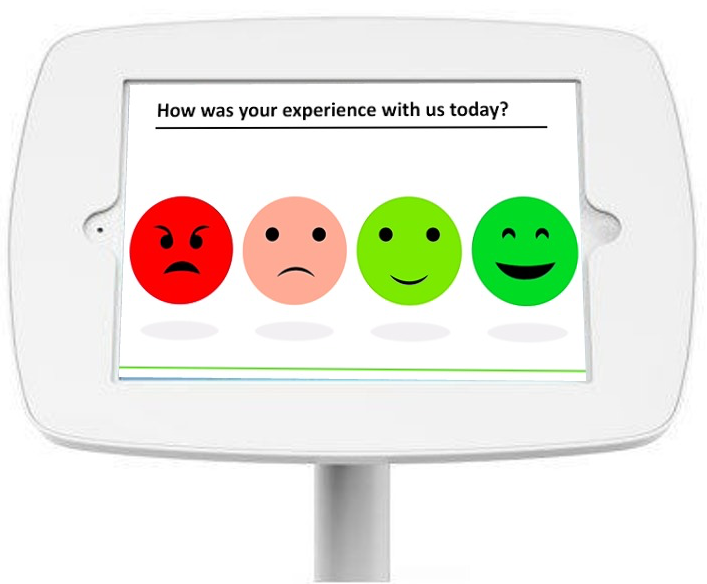
Feedback kiosks are becoming essential tools for capturing customer & patient sentiment in real time. Whether you’re running a retail store, clinic, airport gate, hotel lobby or campus facility this guide gives you clear answers to the most common questions about kiosk feedback including how they work and where to place them.
In this article
Feedback Kiosk Basics & Definitions
What is a feedback kiosk?
A feedback kiosk (also referred to as customer satisfaction terminal, one-tap feedback station, or smiley-face kiosk) is a dedicated touchscreen or button based device placed on site that lets customers or employees give instant feedback in about 5–30 seconds. It is usually placed near exits, checkouts or waiting areas so people can tap an emoji face or rating. Their response flows straight into a dashboard the company can view in real time.
SurveyStance offers touchscreen devices & hybrid models depending on whether you need high volume or deeper insights.
What types of feedback kiosks exist?
- Smiley Face Terminals Fastest option. Big physical buttons showing 😍 → 😡. No reading required.
- Touchscreen Survey Kiosks Full tablets running a short branded survey with multiple questions that user taps to answer.
Why use a feedback kiosk instead of QR codes, email or paper surveys?
Feedback kiosks work better because they capture “in-the-moment” reactions with almost zero friction. Companies use a kiosk when they want feedback from customers or employees while the experience is still fresh. The result? Much higher completion rates than QR codes or email survey links, mainly because it takes the friction out of the process. From our experience, a much smaller percentage of people use QR codes to complete surveys. Their feedback is that QR codes are often seen as spam.
Now take a bright, eye-level kiosk with a colorful set of emojis placed right at the exit. That’s something they can’t ignore. People share their thoughts with a quick, anonymous tap and they’re on their way. In real deployments, SurveyStance kiosks consistently see up to 10× higher completion rates compared to QR or email link surveys. Companies used to 5% response rates on emailed survey links are now seeing 50% response rates with a feedback kiosk.
Planning & Placement
Where should I place a feedback kiosk?
Place your kiosk where people naturally pause and can see the screen at roughly eye level. Be sure to place it somewhere the customer won't have to go out of their way to complete.
High performing locations include:
- Near the exit door
- Checkout or payment counters
- Waiting areas with 10 to 30 seconds of dwell time
- Restroom hallways or elevator lobbies
Example: A retail customer increased response volume more than 40% by moving their kiosk just three feet closer to the exit.
How many kiosks do I need per location?
Most locations need between 1–3 kiosks depending on traffic flow. These guidelines should help further break this down depending on the specific setup:
- Small shop or coffee store Typically 1 kiosk.
- Medium retail or clinic Usually 2–3 kiosks, for example one per main exit or checkout lane.
- Large hospital or hotel lobby Often 4–8 kiosks plus wall-mounted units at key touchpoints.
Survey Design Best Practices
How many questions should a feedback kiosk ask?
1–3 questions is ideal to keep interaction time under 30 seconds. Longer surveys sharply reduce completion rates.
The proven high-conversion flow:
- Core question: one-tap rating Smiley faces 😍😊😐😞😡, or “How likely are you to recommend us?” (0–10).
- Smart optional follow-up, only shown when needed Positive score → “What did we do great?” (optional). Negative score → “What could we improve?” with quick tags (wait time / staff / cleanliness / etc.).
- Thank you screen Instant, branded, and motivating.
SurveyStance's Conditional Questions automatically hide irrelevant follow-ups, reducing friction & increasing usable insights.
What are good examples of fast kiosk questions?
Retail example
- How was your experience today? 😍 😊 😐 😞 😡
- What could we improve? Wait time / Cleanliness / Staff helpfulness / Products
- Additional comments? Optional open text
Healthcare example
- How likely are you to recommend us? 0–10 NPS scale
- Was the staff friendly and professional? Yes / Somewhat / No
- Quick comment? Optional open text
What should the Thank You screen say?
Keep it short (under 10 words), friendly and reassuring. The goal is to make people feel instantly heard and leave on a positive note.
Top-performing examples that SurveyStance clients use, with real-world completion & sentiment lift. Great options include:
- “Thanks! Our manager sees this right now.”
- “Thank you! Your feedback helps us get better.”
- “Feedback received! We're on it.”
- “Appreciate you! See you again soon.”
These tiny details routinely lift customer sentiment scores by 8–12%.
Data, Analytics & ROI
How do I get real-time alerts from a feedback kiosk?
You can get instant alerts through Slack, Microsoft Teams, SMS or Email whenever someone leaves a specified rating or uses a flagged keyword. This allows teams to act on issues the moment they happen instead of waiting for weekly reports.
How do I calculate ROI on feedback kiosks?
Most organizations see 5–15× ROI within the first year. Kiosks pay for themselves by preventing lost customers and catching problems sooner.
A simple way to calculate ROI:
Many SurveyStance clients recover their investment in 3–6 months.
What metrics can I track?
Modern kiosks track far more than a basic satisfaction score:
- Net Promoter Score (NPS)
- Overall satisfaction score
- Response rate and volume
- Sentiment by hour, day, and location
- Keyword cloud from open comments
- Staff or team performance when linked to employee or shift tags
Privacy, Security & Technical Questions
Are feedback kiosk responses anonymous?
Yes, feedback kiosks are anonymous by default. People tap an emoji & walk away. No personal information is collected unless they voluntarily provide it.
Optional contact fields (email or phone) are opt-in only & kept separate from the feedback itself.
Are feedback kiosks GDPR / HIPAA compliant?
SurveyStance is designed to support GDPR and HIPAA compliance when configured correctly. Data is encrypted at rest and in transit. Your legal and compliance teams can review documentation and data processing terms to confirm how this fits your specific requirements.
What happens if the internet goes down at my location?
Nothing, your feedback kiosk keeps working 100% normally even without internet.
SurveyStance kiosks are built for real world reliability and all responses are stored locally and securely on the device. Once wifi is restored the ratings will be synced to the cloud.
Comparisons & Alternatives
Are feedback kiosks better than QR codes or mobile apps?
Yes, feedback kiosks almost always outperform QR codes, email survey links and mobile apps almost every time. They require no phone, no scanning & no app. Just a simple tap.
Why kiosks win on-site:
- No phone required Works for every age and tech level.
- Zero friction People are already standing there at checkout/exit.
- Instant gratification Bright screen + thank-you message feels rewarding.
- Captures the silent majority Most unhappy customers won't scan a QR, but they WILL tap an angry face as they leave.
| Method | Average completion rate | Time to complete | Best for |
|---|---|---|---|
| Feedback kiosks (smiley/touchscreen) | 50 – 70% | 8 – 25 seconds | In the moment reactions while emotions are fresh |
| QR code posters/stickers | 3 – 12% | 45 – 90 seconds | People who already love you |
| SMS/email follow up | 5 – 20% | 2 – 10 minutes | Longer surveys or remote experiences |
| In-app surveys | 10 – 30% | Varies | Digital first customers who operate mainly within your app |
The most effective feedback programs combine both: kiosks for in the moment feedback plus app or email surveys for deeper follow-ups.
Glossary of Feedback Kiosk Terms
- Feedback Kiosk
- On site device for instant ratings.
- Smiley Terminal
- Physical kiosk with emoji buttons.
- Touchscreen Kiosk
- Tablet style survey system (another name for Feedback Kiosk).
- In-the-Moment Feedback
- Immediate reaction during or right after service.
- Dwell Time
- Seconds a customer naturally pauses.
- Conditional Questions
- Follow up questions only shown when relevant.
- Real-Time Alerts
- Instant notifications for ratings or keywords.
- Response Rate
- % of visitors leaving feedback.
FEEDBACK PROGRAMS
Turn this research into a live feedback program.
Compare kiosk, QR code, email signature, and OneClick feedback options built for faster response and real-time visibility.
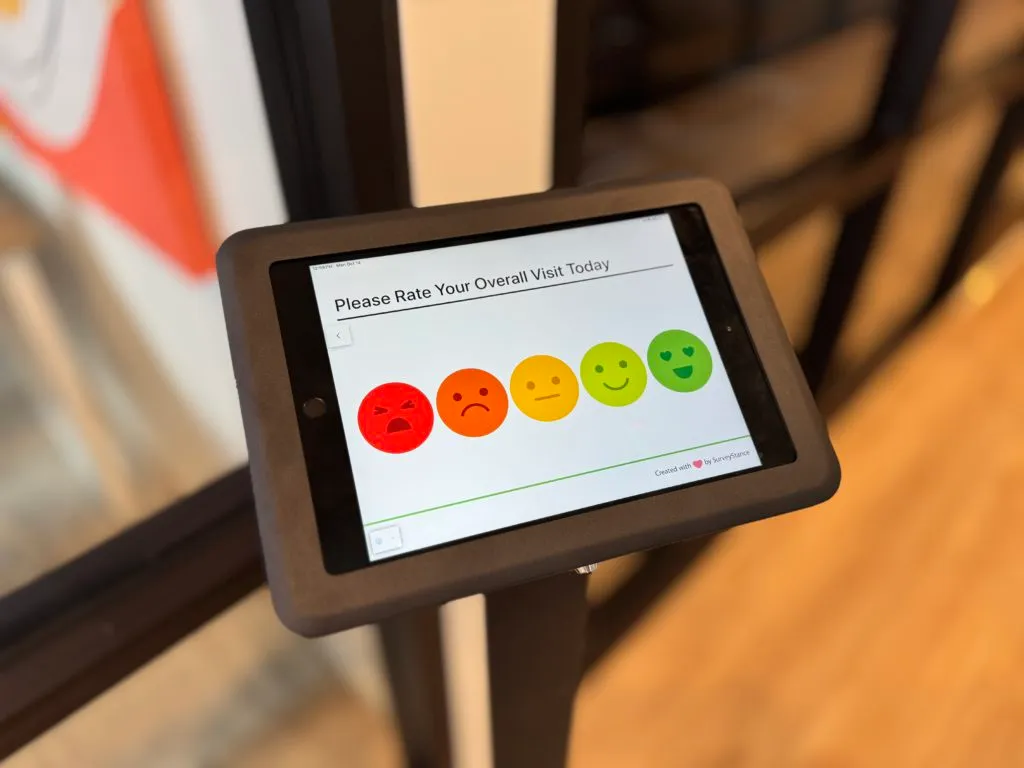
Discover the best cafeteria feedback survey solutions to gather actionable employee feedback. Improve dining experiences with a modern feedback survey kiosk.

Discover how Feedback Kiosks empower customer choice with in person feedback kiosks to boost response rates using a voluntary approach to collecting feedback.
Discover how real-time feedback kiosks outperform traditional post-discharge surveys, driving 3-7 point HCAHPS scores improvement.