
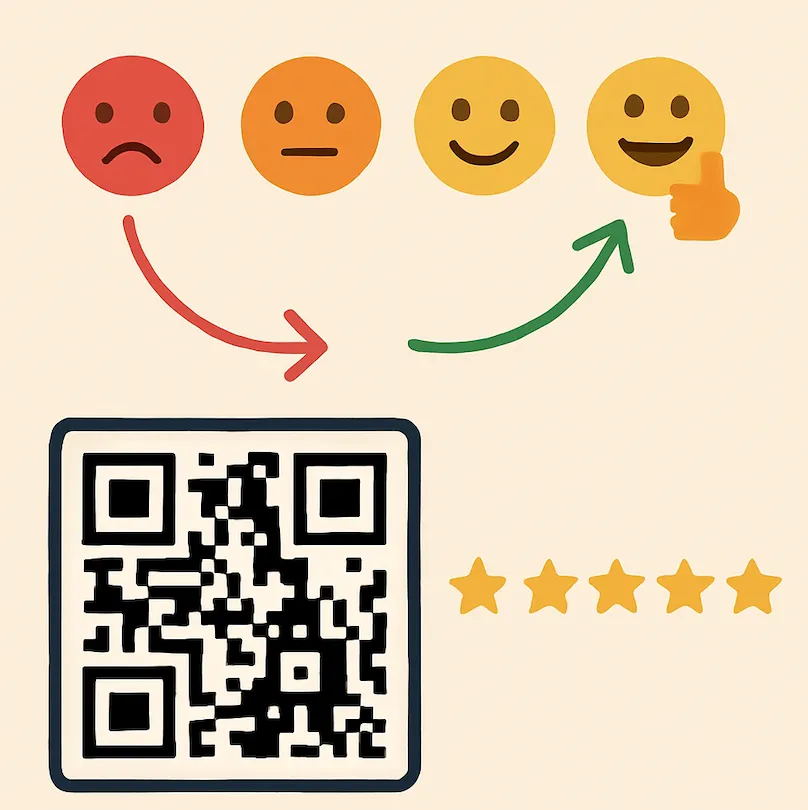
Steering through the chaos of online reviews in 2026 feels like juggling chainsaws, one wrong move, and your local business takes a hit. With more people asking Siri, Gemini and Google's AI Overviews for recommendations, a weak Google profile means you're invisible when people ask, “Hey, find me a reliable _______ near me.”
A customer friend Alex in Des Moines, Iowa owns an auto shop and they handle everything from brake jobs to those check-engine mysteries. Yet, his reviews were sparse, overshadowed by one frustrated customer's lengthy complaint about a delayed appointment during a snowstorm. Potential clients were scrolling past, drawn to competitors with shinier online reps.
If you're running a food truck with the best gourmet grilled cheese or a cozy yoga studio, you know the pain! One single off-note review can deter crowds, but a wave of genuine praise turns you into the neighborhood go-to.
In this article
Why Reviews Are a Big Deal (and a Headache)
Reviews have leveled up from optional feedback to absolute essentials in 2026. With AI chatbots now sifting through reviews to answer queries (think Google's AI Overviews pulling in star ratings), businesses ignoring this are left in the dust. Low ratings or a flood of complaints? That's revenue slipping away.
- 97%
of consumers read reviews for local businesses. 1
- 71%
of consumers use Google to evaluate local businesses. 1
- 77%
say negative reviews make them less likely to choose a business. 1
- 60%
of consumers wrote a review after a positive experience, compared with 29% after a negative one. 1
The real frustration, from what I've seen coaching small ventures, is timing. Happy customers will post, but only if someone asks while the good experience is still fresh, and most businesses never ask. One frustrated customer, on the other hand, can post without any invitation at all. That imbalance hides strong operations behind isolated issues, and I've witnessed solid startups struggle because of it.
The Clever Survey Hack from SurveyStance
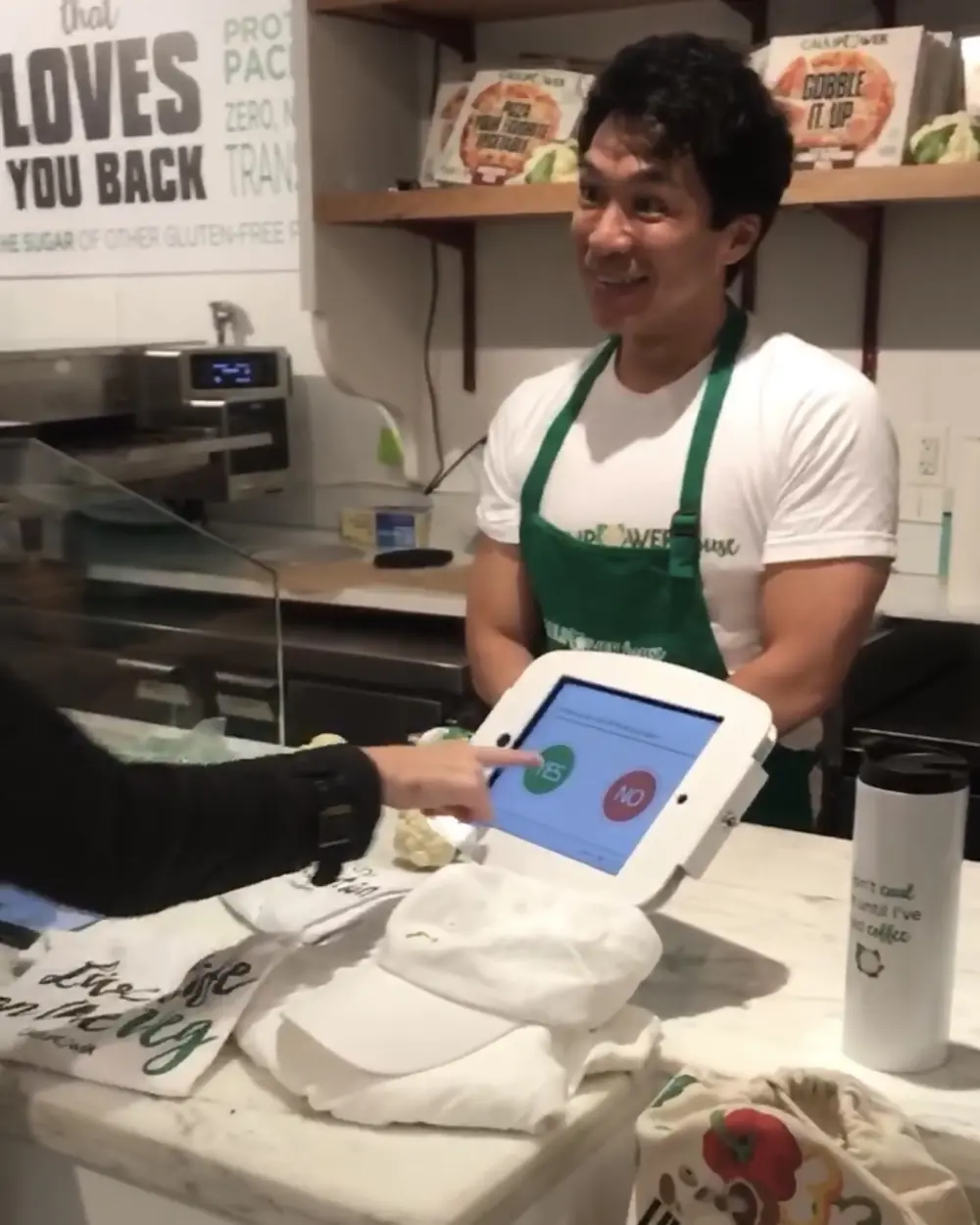
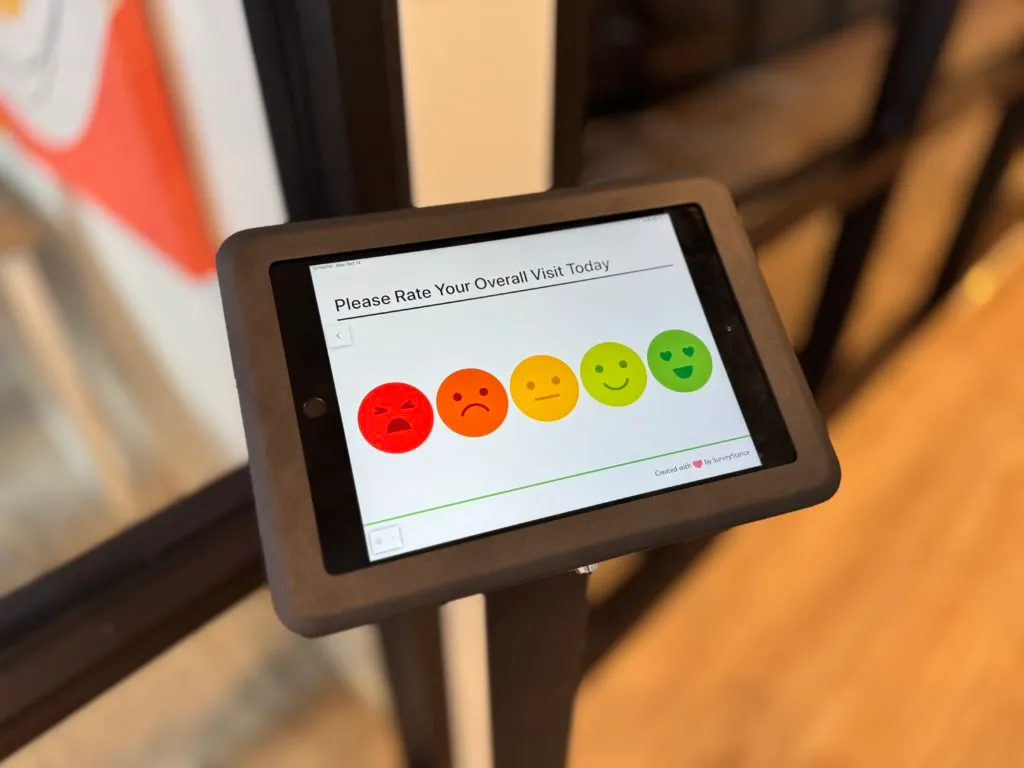
Enter a smart workaround that's been gaining traction amid 2026's AI-driven review trends. SurveyStance Feedback Kiosks are designed to capture customer feedback in real time, in the moment. Customers set these kiosks in high traffic areas and customers zip through a straightforward survey by tapping emojis to questions like "How was your visit?".
Kiosk placement is everything, we had a coffee shop set up a feedback kiosk tucked in a corner by the noisy espresso machine, customers barely noticed it and reviews flatlined. Placement and staff buy-in are key, train your team to guide customers through it casually.
SurveyStance Smart QR Code Twist That Will Increase Reviews
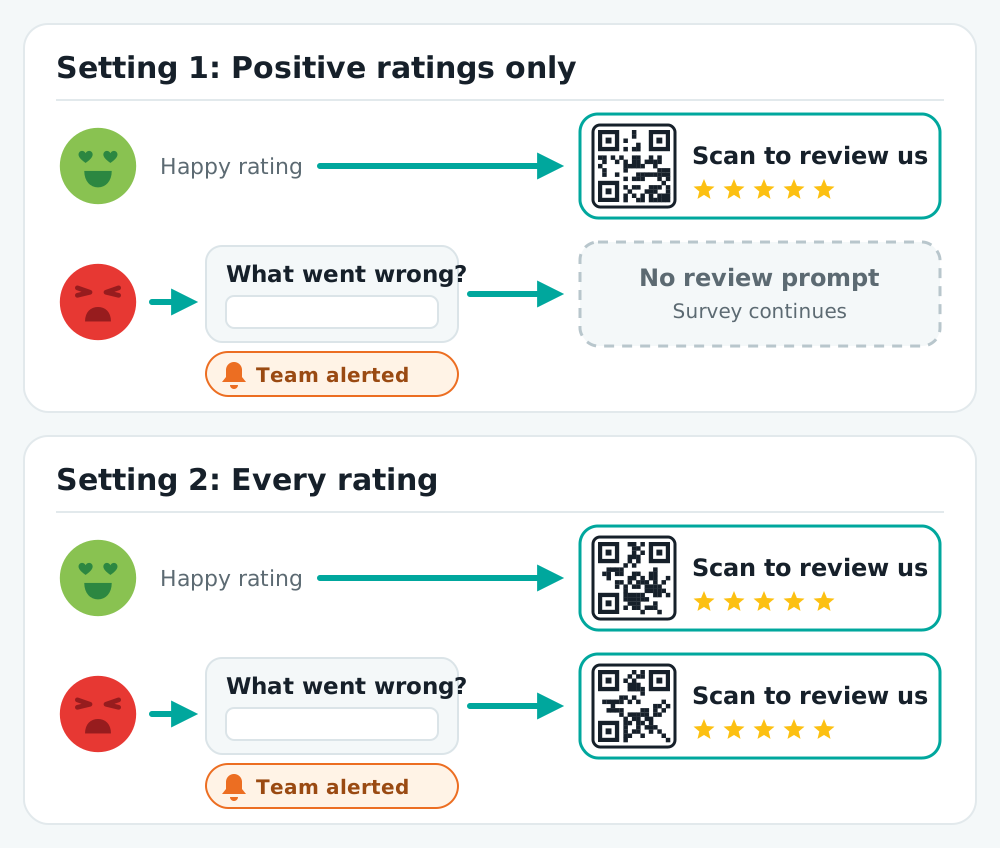
The standout feature we are all here for (drum roll please) is the Smart QR Pop Up. When a customer finishes the survey, a QR code appears that scans straight to your Google page (or Yelp, Facebook, etc.), landing them on the review form with the 5 stars just waiting to be tapped.
You decide who sees it. There are two ways to set it up:
- Positive ratings only Happy customers get the QR code. Neutral and negative responses skip it and continue with the survey, so that feedback comes to you instead of a review site.
- Every rating Everyone gets the QR code. Neutral or negative responses can be asked what went wrong first, so the complaint reaches your team while the customer is still in the building.
Which one fits your business is a real decision, so let's talk it through.
Debating the Ethics: Is Filtering Negatives Manipulative?
Let's pause for a real talk on ethics. Showing the review prompt only to happy customers has a name: review gating. It's one of the most common review tactics out there, and it's worth understanding both sides before you switch it on.
- The case for it It isn't about burying bad news. You're redirecting it privately so you can act fast and improve. You're still collecting all input, just not broadcasting the rough spots publicly before you've had a chance to fix them.
- The case against it Some argue it distorts reality by hiding flaws, eroding trust and violating principles of transparent advertising. The platforms tend to agree. Google's review policy prohibits businesses from selectively soliciting positive reviews, and the FTC's guide for marketers says not to ask for reviews only from customers you think will leave positive ones. Gated reviews can be removed, and a wall of suspiciously perfect ratings reads as fake to the customers you're trying to win.
Our take: the valuable part of the idea is hearing the bad news first, and you don't need to hide the review link to get it. Showing the QR code to every rating, with a direct line to your team for unhappy customers, keeps the upside without the risk. I've seen this turn potential detractors into advocates, as long as you're transparent and responsive.
How It Played Out for Alex (and Others)
Alex gave it a go and the shift was eye-opening. His positive reviews climbed by roughly a third, and fast. New customers streamed in, often noting they were drawn to him based on the online reviews.
He wasn't the only one:
- A cafe in Seattle Tailored its surveys to probe “How was the latte art?” and got roughly a quarter more reviews, plus a few tweaks to their foam game.
- A personal training studio in Denver Added post-session prompts and saw its reviews climb too. The surveys also surfaced complaints about equipment, and once those were fixed, referrals rose by about a fifth.
Email Signature Surveys: Ask for Reviews in Every Reply
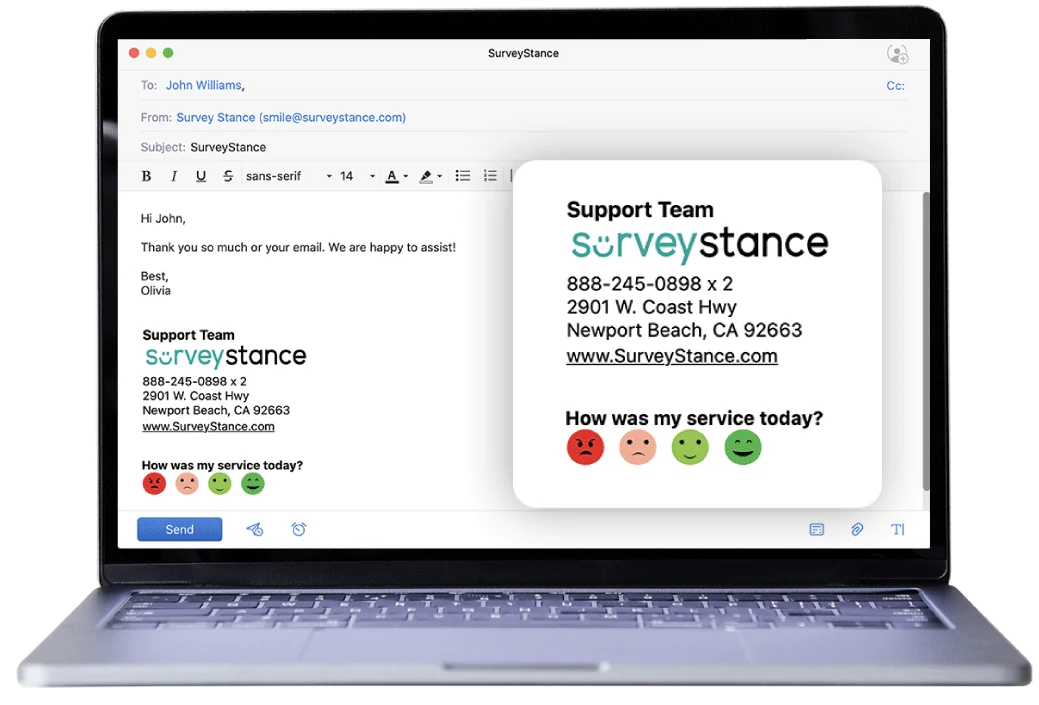
Kiosks catch customers in the building. For everyone you work with over email, the same trick fits in your signature. An email signature survey puts a row of one-click smiley emojis, from happy face to mad face, under every message your team sends. A customer taps one without writing a reply and lands on a page you customize by score.
- Ask at the right moment The best time to ask for a review is right after a customer tells you things went well, not in a batch email at a random time. The landing page for a happy rating can carry the review request, so the ask arrives the second they've said they're satisfied.
- Link straight to the review form Customers won't go searching for your business to leave a review. Point the button at your specific Google, Yelp or G2 review page so one click opens the form.
- Decide what unhappy customers see For a negative rating, the landing page can lead with a feedback form or your support page so the problem reaches your team. Whether the review link appears there too is your call, with the same trade-offs as the kiosk.
It works in Gmail and Outlook signatures and in help desk tools like Zendesk and Freshdesk. See how the email signature survey works.
Getting It Up and Running
SurveyStance setup is straightforward and quick. Grab the free trial at surveystance.com, install on an iPad, and customize in minutes. Choose which review site the QR code points to and which ratings see it, and you're set.
The kiosk is sleek and inviting. Dashboards provide insights, such as "Customers love the personal touch but suggest quicker diagnostics during peak hours."
More Than Just Reviews: Building Real Fans
Beyond stars, it's really about loyalty. Demonstrate you're listening and customers feel valued. Referrals and repeats follow naturally as it's the underrated magic of genuine connections.
A Quick Note on Keeping It Real
Transparency first. Clarify in the survey that all feedback matters.
For less-positive feedback, respond promptly with an email or a follow-up call if you can. Offer a resolution, perhaps a discount on the next visit. I've seen this personal touch really help turn around angry customers.
Sources
FEEDBACK PROGRAMS
Turn this research into a live feedback program.
Compare kiosk, QR code, email signature, and OneClick feedback options built for faster response and real-time visibility.
Must see top 5 top in-person feedback tools for 2026, from emoji kiosks to QR codes. Boost customer insights with SurveyStance's complete guide.
Discover AI employee feedback surveys for real-time insights in 2026. Boost employee engagement with tools like SurveyStance.
Discover the best cafeteria feedback survey solutions to gather actionable employee feedback. Improve dining experiences with a modern feedback survey kiosk.