
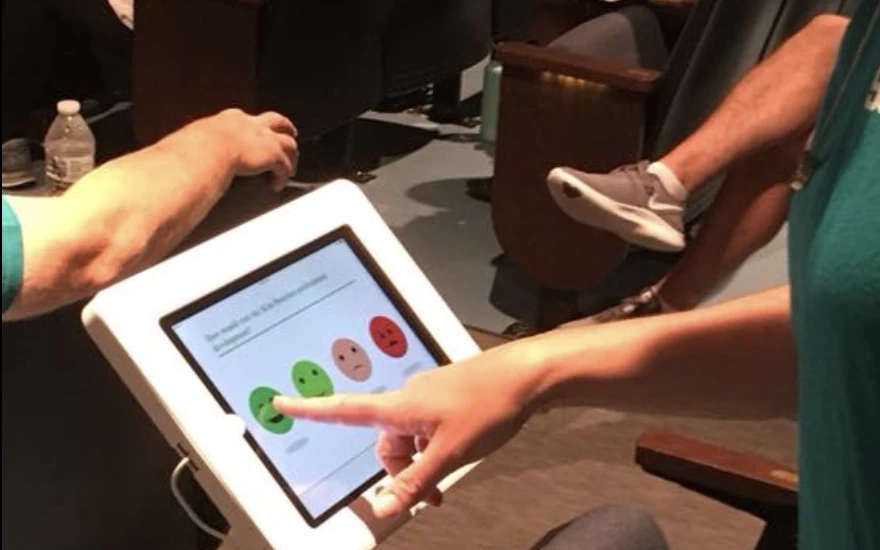
Most universities already run a student feedback survey. It goes out in the last two weeks of the semester and asks about a course the student is about to leave. The results come back after grades are posted.
The students who filled it out never see what changed. That's the gap. A student feedback program works when the survey arrives while the experience is still happening, in the dining hall, after an advising appointment or halfway through the term, and when students can see their answers doing something.
Here's how we'd set one up at a university or college, what to ask software vendors, which questions to use, and what campus dining has taught us.
In this article
How to Implement Student Feedback Surveys in Universities
Seven steps, in the order we'd do them. Most programs that stall skipped the first one or the last one.
Step 1: Define your objectives
Pick the decisions the survey is supposed to inform before you write a single question.
- Course content?
- Teaching methods?
- Campus facilities, housing, dining?
Then name the person who will act on each result. If you can't name one, drop the question.
Step 2: Choose the right feedback software
This gets its own section below.
The short version: match the tool to where students will answer, not to the length of the feature list.
Step 3: Develop and customize your surveys
Write fewer questions than you want to.
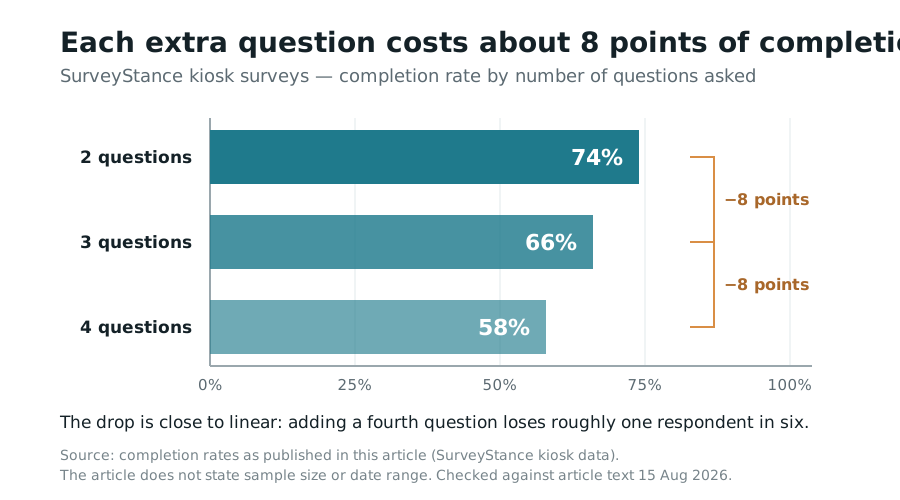
On our feedback kiosks, 74% of people who start a two-question survey finish it, 66% finish a three-question survey and 58% finish a four-question one.
Students are on their way to class, and every extra question costs you respondents. A good default is one rating question and one open "why." Use branching so the student who rates dining a 2 gets the follow-up and the student who rates it a 5 doesn't. Before launch, run your questions through our free survey question checker.
It flags leading wording and double-barreled questions like "How satisfied are you with the food and the staff," which quietly ruin a data set.
Step 4: Pilot the survey
Give it to twenty students first. One residence hall floor, or one course section. Someone will misread a question within the first hour.
There's always one.
Step 5: Full deployment and data collection
Go where students already are. The long end-of-semester survey goes by email. The dining question goes on a QR code on the table tent.
A feedback kiosk by the rec center exit gets a one-tap answer on the way out. Campus announcements and social media help with awareness. A survey placed at the right spot does more.
Step 6: Analyze and act on the feedback
The scores tell you where the problem is. The comments tell you why. Nobody reads three thousand open-ended responses one by one, so group them into themes first.
Our free open-ended text analyzer does this from a spreadsheet. Then hand each theme to the person who owns it, with a date attached.
Step 7: Communicate changes
Skip this step and next year's response rate will show it. A sign at the dining hall register that reads "You asked for more vegan options at lunch, and they start Monday" will do more for participation than any reminder email.
“Students will tell you exactly what's wrong.
They stop telling you when nothing happens.”
Student Feedback Survey Questions: Examples by Area
You don't need fifty questions. You need the right two or three for each place a student interacts with the university. These are starting points, grouped by area. Pair any rating question with one open follow-up, and rotate them so no student sees the same set twice in a term.
Course and teaching questions
Ask these at mid-semester, while the instructor can still change something.
- How clear are the expectations for assignments in this course so far?
- How useful has the feedback on your work been?
- What's one thing your instructor should keep doing?
- What's one change that would help you learn more in this course?
- About how many hours a week do you spend on this course outside class?
Advising and student services questions
Ask right after the visit. A kiosk at the office exit or a one-click email the same day works well.
- Did you get the answer you came for today?
- How long did you wait to be seen?
- How easy was it to book this appointment?
- Is there anything you still need help with?
Campus facilities and housing questions
Tie each question to a place, so the answer reaches the team that runs it.
- How would you rate the cleanliness of this building today?
- Could you find a place to study when you needed one this week?
- How quickly was your last maintenance request fixed?
- How safe do you feel walking on campus at night?
Well-being and belonging questions
Keep these anonymous, and make sure someone on staff reads the comments every week.
- In the past two weeks, how often have you felt overwhelmed by coursework?
- Do you know how to reach counseling services if you need them?
- Do you feel like you belong at this university?
- Is there at least one faculty or staff member you could go to with a problem?
How to Choose the Right Student Feedback Software for Your University
Every vendor says its tool is easy to use and fully customizable. Ask sharper questions:
- Ease of use Can a student answer on a phone in under 30 seconds without logging in?
- Customization Can the dining manager change this week's question without filing an IT ticket?
- Integration Does it connect to the systems you already run, like your LMS, CRM and SIS? If there's no native connector, is there an API or Zapier?
- Analytics Do results show up in real time, or in a report next month?
- Support The kiosk in the student union stops working at 4pm on a Friday. Who picks up the phone?
Here's how we'd honestly compare three options universities ask us about.
- SurveyStance Built for short, in-the-moment feedback: feedback kiosks, QR code surveys and one-click email surveys, with real-time dashboards, AI analysis of open-ended comments, and email or SMS alerts when a low score comes in. We don't have a native LMS or SIS connector. Data moves out through Salesforce, Zapier, webhooks, our REST API or a plain Excel export. It's the best fit when you want many quick answers from physical places on campus.
- Qualtrics Many campuses already have a site license. It's the stronger choice for long research instruments, complex logic and institutional research teams who want to build their own analysis. For a dining hall, it's more than you need.
- SurveyMonkey Fast to set up, with a large template library. It works well for a single department running an occasional email survey. It's less suited to kiosks or ongoing collection at a fixed location.
Plenty of universities use two of these side by side. Qualtrics for institutional research and something lighter for day-to-day operations is a common split.
Trending Survey Topics for Students 🔥
These are the topics we see universities adding to student feedback surveys right now:
- Mental health and well-being Stress levels, whether students know how to reach counseling, and how long the wait is once they do.
- Online learning experiences Which online and hybrid courses work, where the technology breaks, and who actually prefers remote learning.
- Diversity and inclusion How students experience the campus climate. Ask it anonymously or don't ask it.
- Sustainability initiatives Food waste, recycling, transit and other green initiatives on campus.
- Career services Whether students used career counseling and job placement services, and whether it led to an interview.
Future of Student Feedback in Universities
The way we see it, the single end-of-term survey is on its way out. The future of student feedback is a record that follows a student from first year to graduation, built from many small check-ins instead of one long form. A sophomore who flagged an advising problem in October shouldn't have to explain it again in April.
AI is what makes this practical. Reading ten thousand comments used to take a semester. Now the themes come back the same day, and you can see whether a complaint is growing or fading from one term to the next.
What AI can't do is decide to fix something. That part is still up to the university.
Best Practices for Collecting and Using Student Feedback in Universities
Five habits separate the programs students keep answering from the ones they learn to ignore.
Encourage participation
Tell students what the survey is for in one sentence. Incentives like gift cards or a raffle entry are worth it for a twenty-minute survey. For a two-question kiosk survey, skip them.
Being short is the incentive.
Guarantee absolute anonymity
Students won't be honest about a professor who grades them if they think the answer can be traced back. Say plainly what you collect and what you don't, store responses encrypted, and report results in aggregate only. Feedback kiosks help here because nothing is attached to the answer.
There's no login, no email address and no student ID. Email surveys are different. Many tools, ours included, can link a response to the person who received the email.
That's useful for an advising follow-up and wrong for a question about a professor. Pick the channel to match the question.
Use multiple channels
Email, QR codes around campus and kiosks each reach different students. The commuter who never opens university email still walks past the library entrance twice a day.
Regularly update surveys
When the same survey runs year after year, response rates slide. We see it often. Students recognize last year's questions, remember that nothing changed, and close the tab.
Keep one or two core questions fixed so you can track trends, and rotate the rest each term.
Build a culture of feedback
Response rates follow trust. When a dean quotes survey results at a town hall, or a department posts what it changed and why, students notice. Close the loop every time, even when the answer is "we can't do that, and here's the reason."
Feedback within Resident Dining Experiences at Colleges and Universities
Students use dining services up to three times a day, so it's where they'll give you the most feedback if you ask in the right place. Ask at the exit, not in an email two weeks later.
Questions worth rotating through:
- Food quality Taste, freshness, temperature.
- Dietary options Vegetarian, vegan, gluten-free, halal, allergen labeling.
- Service Speed at peak hours, staff friendliness.
- Environment Cleanliness, seating at noon, noise.
One topic per visit is plenty. Campus dining runs a lot like a large workplace cafeteria, so our guide to cafeteria feedback surveys covers the setup in more detail, and the same approach powers our corporate dining feedback programs.
Real-World Example: How SurveyStance Improved University Dining Experiences
We worked with a university whose dining halls kept scoring low on student satisfaction. The once-a-year survey confirmed students were unhappy. It didn't say why.
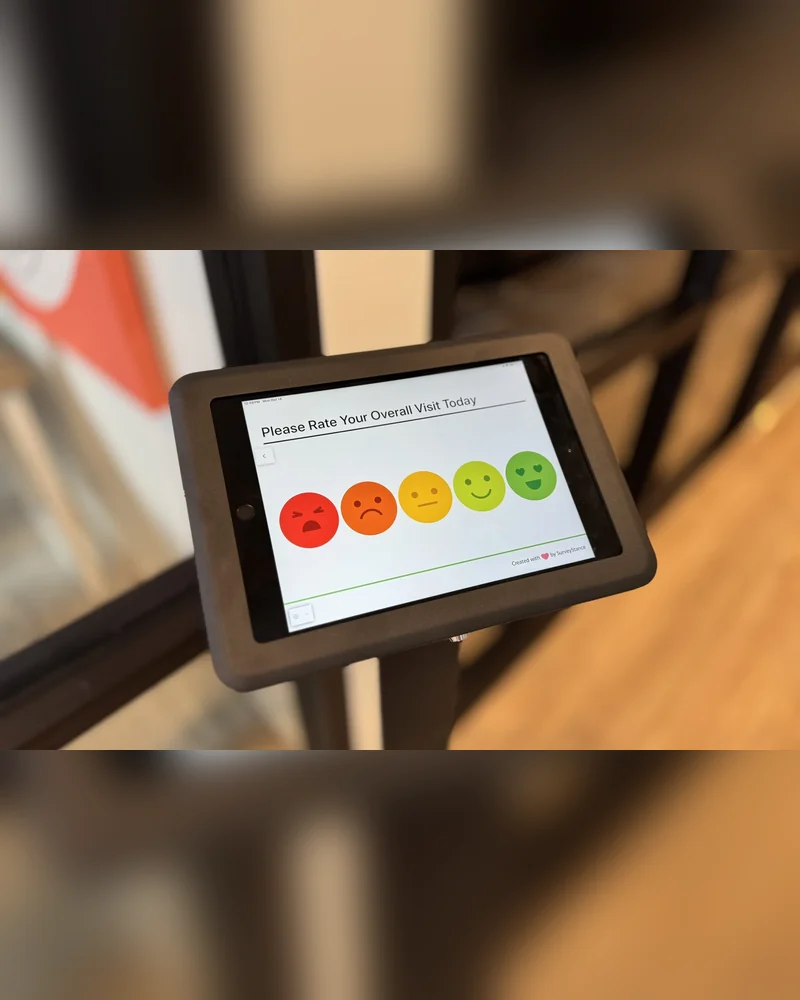
So we moved the question to where the meal happens. Students answered on the way out, while lunch was still fresh in their minds, and the open comments got specific fast. Two complaints came up again and again.
Students wanted more diverse dietary options, especially vegetarian and vegan. And service was too slow at peak hours. Neither was a surprise once you read it.
Both were invisible in the annual score. The dining team revamped the menu to add more vegetarian and vegan options and adjusted staffing schedules to cut wait times during the rush. Student satisfaction went up significantly.
Just as important, students could see that their answers had changed something, which is what keeps them answering.
Planning a student feedback survey for next term?
Run your draft questions through the checker first, then talk to us about where on campus to put it.
Student Feedback Survey FAQ
- What questions should a student feedback survey include? Start with one rating question about a specific experience, such as a course, an advising visit or a meal, and one open question asking why. Add questions only when someone has agreed to act on the answer. Good areas to cover are teaching and course content, advising and student services, campus facilities and housing, dining, and well-being.
- How do you increase student survey response rates? Ask fewer questions, ask them closer to the experience, and show students what changed because of their last answers. On SurveyStance kiosks, 74% of people finish a two-question survey and 58% finish a four-question one, so length matters more than reminders. Placing a kiosk or QR code where students already are also beats an email that arrives weeks later.
- Should student feedback surveys be anonymous? For anything involving an instructor, a grade, mental health or campus climate, yes. Students won't be candid if they think an answer can be traced. Use an identified survey only when you need to follow up with a specific student, such as after an advising appointment, and tell them that up front.
- How often should universities run student feedback surveys? Run short, continuous feedback where services happen every day, like dining, the library and student services, and add a mid-semester course check-in so instructors can still adjust. Keep one longer end-of-year survey for trends, with one or two core questions that never change.
- What's the difference between course evaluations and a student feedback program? Course evaluations are one survey at the end of a term, mostly used to review instructors. A student feedback program collects input across the whole student experience, all year, and closes the loop by telling students what changed. Course evaluations can be one part of it.
Additional Resources
FEEDBACK PROGRAMS
Turn this research into a live feedback program.
Compare kiosk, QR code, email signature, and OneClick feedback options built for faster response and real-time visibility.
Discover AI employee feedback surveys for real-time insights in 2026. Boost employee engagement with tools like SurveyStance.
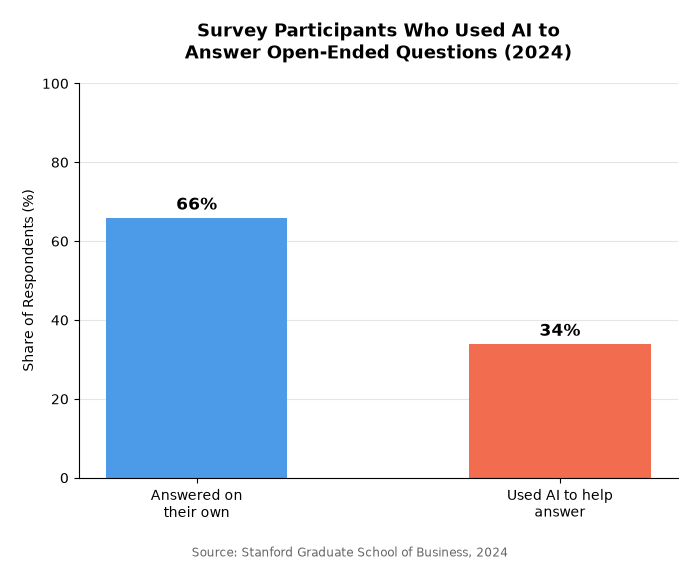
AI-generated survey responses are quietly reshaping research data. See what Stanford and NORC found, the signs an answer wasn't written by a person, and how to protect your own feedback data.

Automated customer experience tells you an interaction happened, not that it worked. Gartner found customers are 3x more likely to use ChatGPT than your chatbot.