
SurveyStance + Zapier
Get kiosk ratings in front of the people who can fix things.
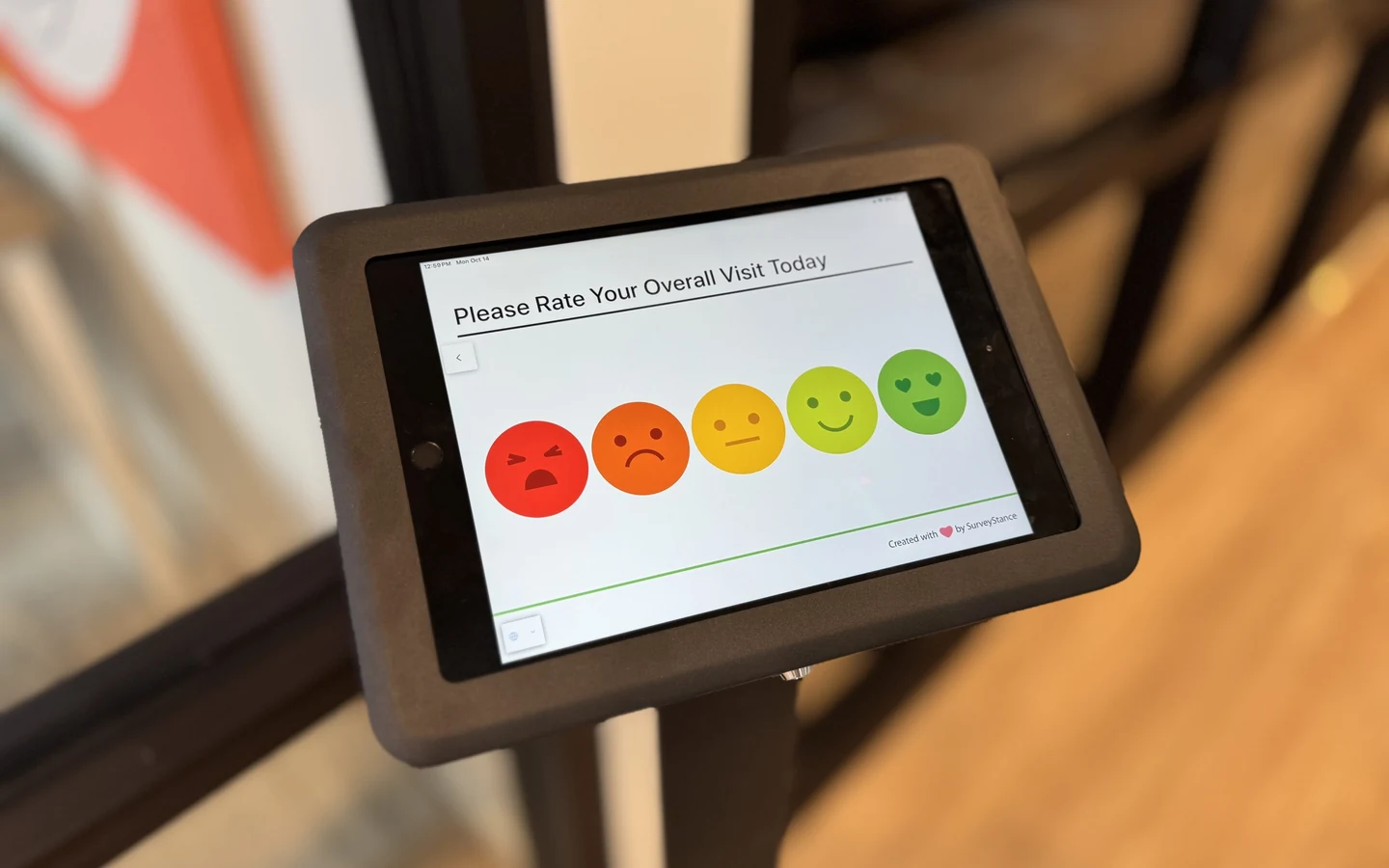
A bad rating on a kiosk is only useful if someone sees it while they can still do something about it. Our Zapier app sends every kiosk response to Slack, Microsoft Teams, Google Sheets, your help desk or thousands of other apps. No code, no waiting for the weekly report.
- TriggerNew Responses
- CoversFeedback kiosk responses
- Connects toThousands of Zapier apps
How it works
From a tap on the kiosk to a message in your team's app.
- 01
Someone taps a rating
A customer, patient or employee answers your survey on a SurveyStance feedback kiosk.
Feedback Kiosk - 02
New Responses fires
The SurveyStance trigger in Zapier picks up the response and passes it into your Zap.
Zapier trigger - 03
Your Zap takes it from there
Filter it, format it, then post it, log it or open a ticket in whatever app your team lives in.
Any Zapier app
Setup
Set up the SurveyStance Zapier trigger in five steps.
You build the Zap in your own Zapier account. If you can set up an email rule, you can set this up.
- 1 Create a Zap
In Zapier, start a new Zap and search for SurveyStance as the trigger app.
- 2 Pick New Responses
Choose the New Responses trigger. It is the event that fires for each kiosk response.
- 3 Connect your account
Sign in to SurveyStance when Zapier asks, so it can see your kiosk responses.
- 4 Test with a real rating
Tap a rating on one of your kiosks, then pull it into Zapier to map the fields.
- 5 Add actions and publish
Add a filter if you only want some ratings, add your action, and switch the Zap on.
New Responses
Rating is Bad or Poor
Send channel message to #cafe-team
Ideas to start with
Six Zaps worth building first.
Each one starts with the same SurveyStance New Responses trigger. The app names are examples; any app Zapier supports works the same way.
Low-score alerts in Slack or Teams
Post Poor and Bad ratings to the channel for that location, with the comment attached, so a manager sees it during the shift.
Every rating in a spreadsheet
Add a row for each response. Handy for ops teams that already run their weekly review out of a shared sheet.
A ticket for each complaint
Turn a negative rating with a comment into a ticket, so it gets an owner and a due date instead of sitting in a report.
A text to the manager on duty
For a restroom or front desk that needs attention now, send a short SMS the moment a bad rating lands.
A daily digest, not a flood
Collect the day's ratings and send one summary email each evening to the people who want the overview.
Feedback next to your other numbers
Send ratings into the database or warehouse that feeds your BI dashboards, alongside sales and staffing data.
Picking the right tool
Zapier, alerts or the API: which one to use.
Zapier is not the only way to move feedback out of SurveyStance, and it is not always the best one. Here is how we would decide.
Built-in alerts
Best forGetting told about problems, fast
Email and SMS alerts for low scores, bursts of negative ratings, score swings and offline kiosks. Nothing else to set up.
See alert optionsZapier
Best forPutting kiosk ratings inside another app
Slack, Teams, Sheets, help desks, CRMs and thousands more, with filters and formatting and no code.
Native integrations and API
Best forDeep links into core systems
Native Salesforce and Freshdesk integrations, plus webhooks and a REST API for your own tools and every feedback channel.
See the platformKiosk only, for now. The Zapier app covers feedback kiosk responses. OneClick, QR code and email signature responses can reach other systems through webhooks and the REST API.
Questions
Zapier integration FAQ
Which SurveyStance responses does the Zapier app send?
Kiosk responses. The New Responses trigger fires each time someone submits feedback on a SurveyStance feedback kiosk. OneClick, QR code and email signature responses are not part of the Zapier app yet; our webhooks and REST API cover those today.
What does the New Responses trigger do?
It watches your SurveyStance account for new kiosk responses and hands each one to your Zap. From there Zapier can filter it, reformat it and send it to any app it connects to.
Can I send only negative ratings?
Yes. Add a Filter by Zapier step after the trigger and let through only the ratings you care about, such as Poor and Bad. The rest stop at the filter, and filter steps do not count toward your Zapier task limit.
Do I need a paid Zapier plan?
Zapier has a free plan that covers simple Zaps. Multi-step Zaps and higher task volumes need a paid Zapier plan, and a busy kiosk can produce a lot of responses, so check Zapier's pricing page for current limits before you connect a high-traffic location.
How is this different from SurveyStance alerts?
Built-in alerts send email and SMS notifications for low scores, bursts of negative ratings, score swings and offline kiosks, with no other tool involved. Zapier is for when the rating needs to land inside another app, like a Slack channel, a spreadsheet or a help desk queue. Plenty of teams run both.
Does SurveyStance have native integrations too?
Yes. SurveyStance connects natively to Salesforce and Freshdesk and offers webhooks and a REST API for your own systems. Use a native integration where one exists, and Zapier for everything else.
Get started
Put a kiosk where feedback happens. Send the ratings where work happens.
Try SurveyStance free, or talk to us about which Zaps make sense for your locations.