
Every survey tool's landing page says integrates with Salesforce. That phrase is doing a lot of heavy lifting. Sometimes it means a managed package that writes to a Contact record the second someone hits submit.
Sometimes it means wire it up yourself with Zapier, if you're willing to pay for a Zapier tier too. Those are very different products, and the gap usually doesn't show up until you're the one explaining to ops why CSAT scores aren't showing up on the Account page.
It's also worth saying: you probably don't need an enterprise CX platform.
A lot of people searching this term are a two- or three-person team sending one survey to a couple thousand contacts, not standing up a company-wide feedback program. So instead of ranking these alphabetically, the tools below are grouped by how the integration actually works, with smaller teams in mind, not just enterprise buyers. If you're comparing broader voice-of-customer platforms too, we've broken those down separately.
In this article
Quick Answer
| Tool | Integration type | Syncs to | Real-time or batch | Starting price |
|---|---|---|---|---|
| Qualtrics | Native (AppExchange app) | Leads, Contacts, Cases, custom objects | Real-time via workflow triggers | Custom/enterprise quote |
| Survicate | Native, no-code | Any standard or custom object | Real-time, bidirectional | ~$49–79/mo, gated to certain plans |
| AskNicely | Native (AppExchange app) | Contacts, custom NPS objects | Real-time, event-triggered | Custom quote |
| SurveyMonkey | Native (managed package) | Two custom objects mapped to Contact/Account | Real-time | Team Advantage plan and up |
| FormAssembly | Native connector, workflow-based | Any standard or custom object | Real-time, with prefill from SF | ~$99/mo Basic, connectors add cost |
| Alchemer | Native, point-and-click | Leads, Contacts, Tasks | Real-time, bidirectional | Quote-based |
| Google Forms | None — Zapier/Apps Script/Flow only | Whatever you build | Depends on setup | Free (Zapier costs extra) |
The table below compares integration type, what each tool syncs to, whether the sync is real-time or batch, and where pricing starts.
The Native, Real-Time Tier
These tools install as managed packages or AppExchange apps and write to Salesforce objects directly, without a third-party automation layer in between.
Qualtrics
Qualtrics is the one most enterprise Salesforce orgs already have installed somewhere. It's an AppExchange app — once your admin flips on the Enable SFDC App permission, you can trigger relational surveys straight from Leads, Contacts, or entire Campaigns without leaving Salesforce. It's built for this, not retrofitted.
The tradeoff is enterprise pricing and enough configuration surface that you'll want an actual admin involved.
Survicate
Survicate does bidirectional sync — responses flow into Salesforce, and Salesforce data flows back via merge tags, so you can personalize a survey using someone's real CRM record. It maps to any standard or custom object, more flexible than most on this list. The integration isn't available on every plan, so confirm it's included before committing to a tier expecting it.
AskNicely
AskNicely is narrower by design — an NPS tool, not a general survey platform — but the integration is properly two-way. Trigger a survey off any Salesforce event and the score comes back attached to the Contact, filterable by segment or account.
SurveyMonkey (And The GetFeedback Caveat)
SurveyMonkey deserves a caveat, not a clean recommendation. The managed package is solid — it creates two objects and maps responses back to Contact or Account. But SurveyMonkey also owns GetFeedback, and it's worth knowing that GetFeedback used to be the answer here: ask this same question in r/salesforce a few years ago and the top replies were almost unanimously GetFeedback, praised for being easy to set up and integrate with Salesforce.
That's no longer the recommendation — GetFeedback Direct is being sunset at the end of 2026 — so if you're evaluating SurveyMonkey, make sure you're looking at the current managed package, not a legacy GetFeedback flow.
Native-Adjacent: Form Platforms With Real Salesforce Connectors
These aren't survey tools first — they're form and workflow platforms that happen to handle surveys well, with Salesforce connectors deep enough that Salesforce-heavy teams often prefer them over dedicated survey products.
FormAssembly
FormAssembly can create or update any standard or custom object, prefill forms with live Salesforce data, and pull dynamic picklists so form options stay in sync with your org. It costs more than a basic survey tool — around $99 a month and up, with connectors as an add-on — but for a small team that wants one tool doing both intake forms and surveys, it earns the price.
Alchemer
Alchemer, formerly SurveyGizmo, offers a genuinely point-and-click Salesforce integration — push responses in to create or update Leads, Contacts, and Tasks, and pull Salesforce contact data into a survey or email campaign. Pricing isn't published; you'll need to talk to sales. It's worth shortlisting specifically because it comes up often among people who've actually set up the integration themselves, not just read the marketing page.
The DIY Tier
For teams without budget for a dedicated tool, there are two more options worth knowing about.
Google Forms
Google Forms gets an honest mention because people search for it constantly, and it has no native Salesforce integration at all — you're building it with Zapier, Make, or Apps Script.
Build It Yourself With Salesforce Flow
Some Salesforce admins skip a third-party tool entirely and build the survey natively: a custom object for responses, a Flow that captures answers and runs as System so no login is required, and a public Experience Cloud page to host it. No per-response cost, full control over the data model, and no external vendor at all. It takes more setup than installing an app, but for a team with in-house Salesforce admin skills and a tight budget, it's a real option people are actually shipping, not just a theoretical one.
Before You Pick One
- Real-time or batch? Confirm explicitly if a Case needs to update the instant a response comes in.
- What happens on a duplicate contact? Ask how each tool handles matching, not just creation.
- Does the mapping survive a Salesforce release? Ask what error alerting exists when a sync quietly breaks.
- Are you paying twice? If integration really means Zapier, check whether your survey tool's price and your Zapier tier both need to increase.
FAQ
A few quick answers on scope and setup:
Does Salesforce have its own native survey tool?
Yes — Salesforce Feedback Management, formerly Salesforce Surveys, is native and included with certain editions. In practice, plenty of admins actively steer clients away from it — it covers basic NPS and CSAT but is widely considered hard to make look polished and light on features once you need more than the basics.
What's the difference between a native integration and a Zapier-based one?
A native integration — a managed package or AppExchange app — writes directly to Salesforce objects, typically in real time, and is maintained by the vendor. A Zapier-based integration is a third-party middle layer: another subscription, another point of failure, and usually a delay between trigger and sync.
Can I sync scores to the Account level, not just Contact?
Most tools above support this, though depth varies. Some roll response data up to Account or Opportunity natively, while others need a custom object and admin configuration to get there.
FEEDBACK PROGRAMS
Turn this research into a live feedback program.
Compare kiosk, QR code, email signature, and OneClick feedback options built for faster response and real-time visibility.
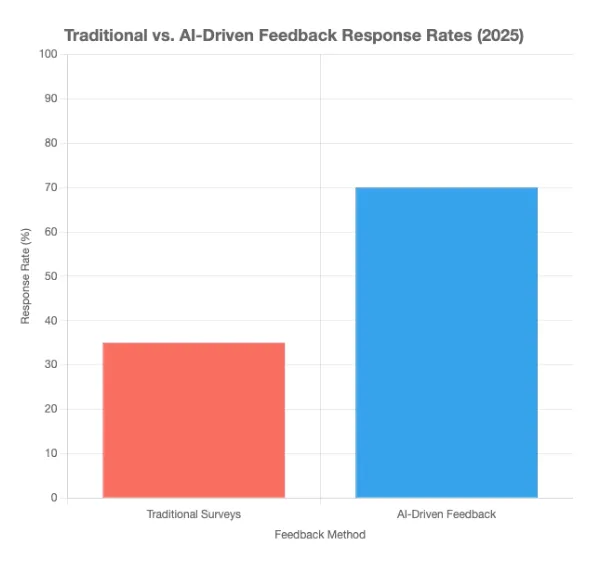
Discover AI employee feedback surveys for real-time insights in 2026. Boost employee engagement with tools like SurveyStance.

Automated customer experience tells you an interaction happened, not that it worked. Gartner found customers are 3x more likely to use ChatGPT than your chatbot.
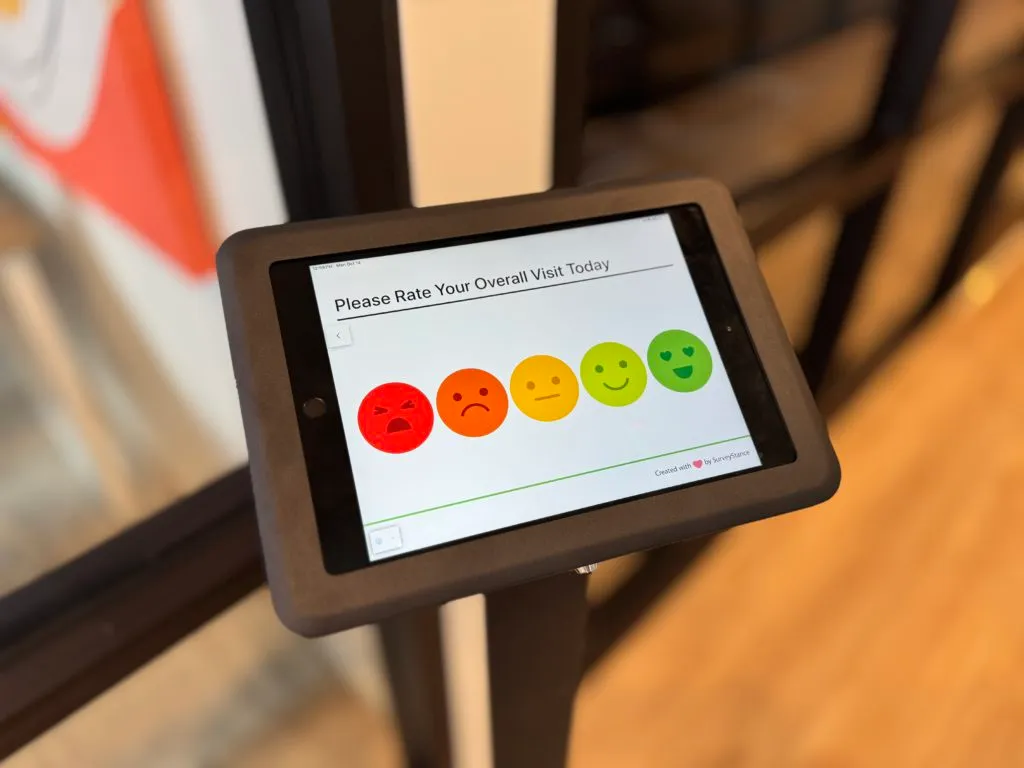
Discover the best cafeteria feedback survey solutions to gather actionable employee feedback. Improve dining experiences with a modern feedback survey kiosk.